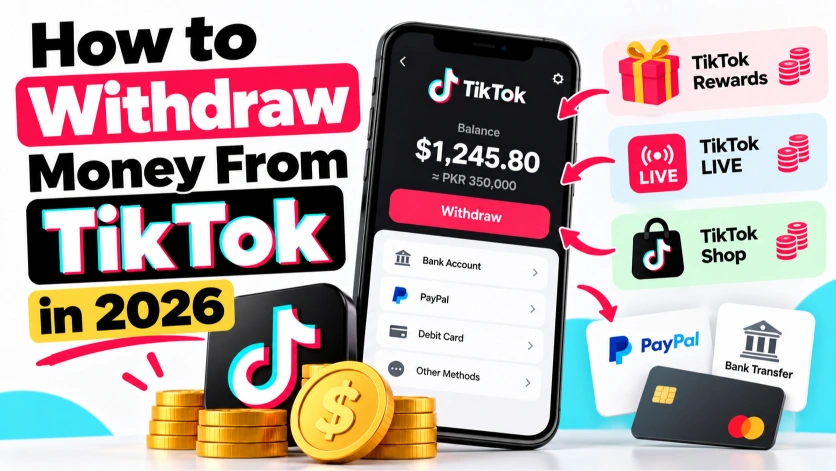
How to Withdraw Money From TikTok in 2026 (Rewards, LIVE and Shop)
Seeing money build up in your TikTok balance is a great feeling. Getting it into your bank account is where many creators get stuck. Payment settings live in different places depending on how you earned the money, the minimum withdrawal can differ by region, and the tax forms can be confusing the first time.
This guide walks you through how to withdraw money from TikTok in 2026, whether it came from Creator Rewards, LIVE gifts, TikTok Shop or a brand deal.
TikTok changes menu names and payout rules from time to time, and options differ by country. The steps below reflect the general process, so always follow what you see in your own app.
Where Your TikTok Money Comes From
Different income streams are paid out in different places:
- Creator Rewards and LIVE gifts usually appear in your Balance, found through Settings and privacy or TikTok Studio.
- TikTok Shop affiliate commissions are managed through the affiliate or Shop section of your account.
- TikTok One campaigns are handled through that platform’s own rewards or payments area.
- Direct brand deals are not paid through TikTok at all. The brand pays you directly by bank transfer, PayPal or invoice.
Before You Can Withdraw
1. Meet the program requirements
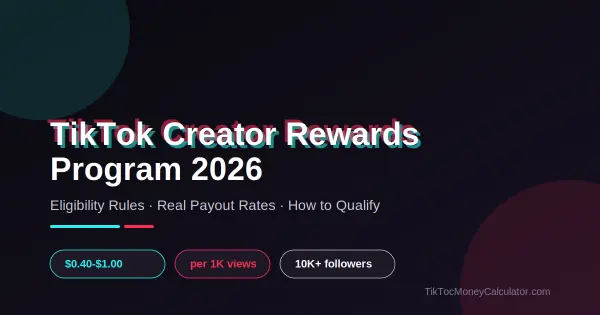
You need to be eligible for the program that generated the money. For Creator Rewards that generally means being 18 or older with at least 10,000 followers and 100,000 views in the last 30 days. See our guide on how to get monetized on TikTok for every program’s requirements.
2. Verify your identity
TikTok will ask you to confirm who you are before it sends money. This may include your legal name, date of birth and sometimes an ID document. Use your real details exactly as they appear on your bank or PayPal account, or payments may fail.
3. Submit your tax information
TikTok is required to collect tax details before paying creators in many countries. US creators typically complete a W-9 form, while creators outside the US may be asked for a different form. If your tax profile is incomplete, payments can be held or extra tax may be withheld.
4. Add a payout method
Depending on your country, options usually include PayPal and direct bank transfer, and in some regions other providers or local wallets. Add the method you want in the payment settings before you request a withdrawal.
5. Reach the minimum balance
You can only withdraw once your balance passes a minimum threshold. This amount differs by region and has changed over time, so check the figure shown in your Balance screen rather than relying on a number you saw online.
How to Withdraw Creator Rewards and LIVE Earnings
- Open TikTok and go to your profile.
- Tap the menu icon in the top corner.
- Go to Settings and privacy, then Balance. Some accounts see this inside TikTok Studio instead.
- Check your available balance. Recent earnings may show as pending for a while before they become available.
- Tap Withdraw, choose your payout method and enter the amount.
- Review the details and confirm.
LIVE gifts arrive as diamonds and are converted to a cash value in your balance. To estimate what your gifts are worth, use our LIVE Earnings Calculator and read our guide to turning LIVE gifts into cash.
How Long Does a TikTok Withdrawal Take?
Processing times vary by method and country. PayPal is often the quickest once TikTok releases the payment, while bank transfers can take several business days. Your first withdrawal may take longer because of verification checks. If a payment has not arrived after the time shown in the app, check your payout details and your email for messages from TikTok or your payment provider.
Fees to Watch For
- Payment provider fees. PayPal and some banks charge fees for receiving international payments or converting currency.
- Currency conversion. If your earnings are in US dollars and your bank account is in another currency, the exchange rate used can reduce what you receive.
- Tax withholding. Depending on your country and tax forms, some tax may be withheld before payment.
If you are outside the US, compare the options available to you. Sometimes a direct bank transfer works out cheaper than PayPal once conversion fees are included.
Common Withdrawal Problems and Fixes
The withdraw button is greyed out
Usually your balance is below the minimum, part of it is still pending, or your verification or tax details are incomplete.
My payment failed
Check that the name on your TikTok payout profile matches your PayPal or bank account exactly, and that the account can receive international payments.
My balance went down
If a viewer’s payment for gifts is refunded or charged back, the related amount can be removed from your balance. Deductions can also happen if TikTok finds invalid activity.
I cannot find the Balance option
Update the app, then look in both Settings and privacy and TikTok Studio. Menu locations change between app versions and regions.
Protect Your Earnings
- Never share your login or verification codes with anyone offering to “speed up” a payout.
- Ignore messages claiming you must pay a fee to release your TikTok earnings. TikTok does not ask for that.
- Turn on two step verification for your TikTok account.
Frequently Asked Questions
Can I withdraw TikTok money to a bank account without PayPal?
In many countries, yes. Direct bank transfer is available in a number of regions. The options you see depend on where your account is registered.
Do I have to pay tax on TikTok earnings?
In most countries TikTok income is taxable. Rules differ by country, so check with a local tax professional if you are unsure.
Can I withdraw TikTok coins?
No. Coins are what viewers buy to send gifts. They cannot be withdrawn. Creators withdraw the value of gifts they receive, not coins.
The Bottom Line
To withdraw money from TikTok, meet the program requirements, verify your identity, submit your tax information, add a payout method and wait until your balance passes the minimum shown in your app. Then request a withdrawal from your Balance. To see how much you could be earning in the first place, try our TikTok Money Calculator.